
Know whether an address is worth sending to
Email Validator is a Chrome extension that checks an address and answers with one of five verdicts: valid, risky, catch-all, unknown or invalid.
How it works
-
1. Add it to Chrome
The extension sits in your toolbar, one click from wherever you are working.
-
2. Press check
Your browser does everything it can on its own: the syntax, the domain, the DNS records.
-
3. Read the verdict
Only what the browser cannot settle is sent to our server for a mailbox check, and the answer comes back in the same panel.
What it checks
Addresses that cannot exist
Syntax is checked against a practical subset of RFC 5322, so a malformed address is caught before anything is sent anywhere.
Disposable domains
Throwaway domains are reported as invalid on purpose, not quietly let through.
Role mailboxes
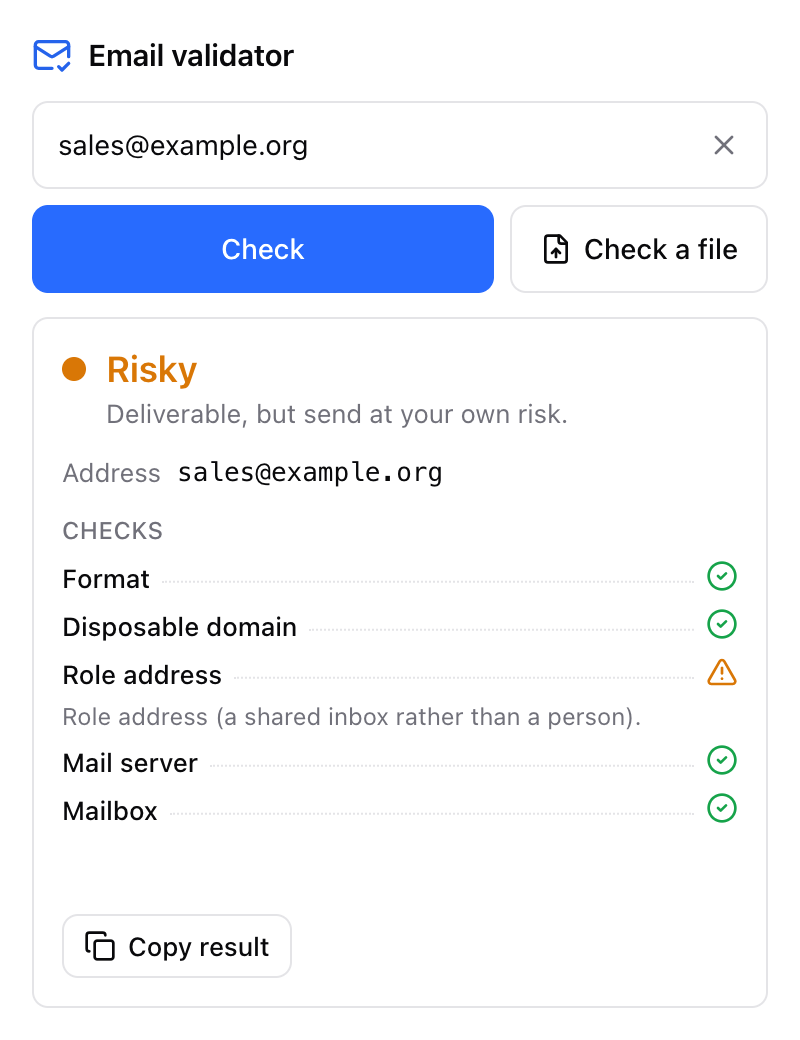
info@ and support@ stay risky even when the mailbox really is there.
Typos, with the fix one click away
"Did you mean user@gmail.com?" — take the suggestion and the address is corrected in place. Gmail dots and +tags, and Yandex domain aliases, fold to one form, shown only when it differs from what you typed.
Domains that cannot take mail
MX and A records are read through a public resolver, with a second resolver behind it when the first stays quiet.
The mailbox itself
What the browser cannot decide is asked of the mail server: does this mailbox exist?
One address, or a whole list
One address
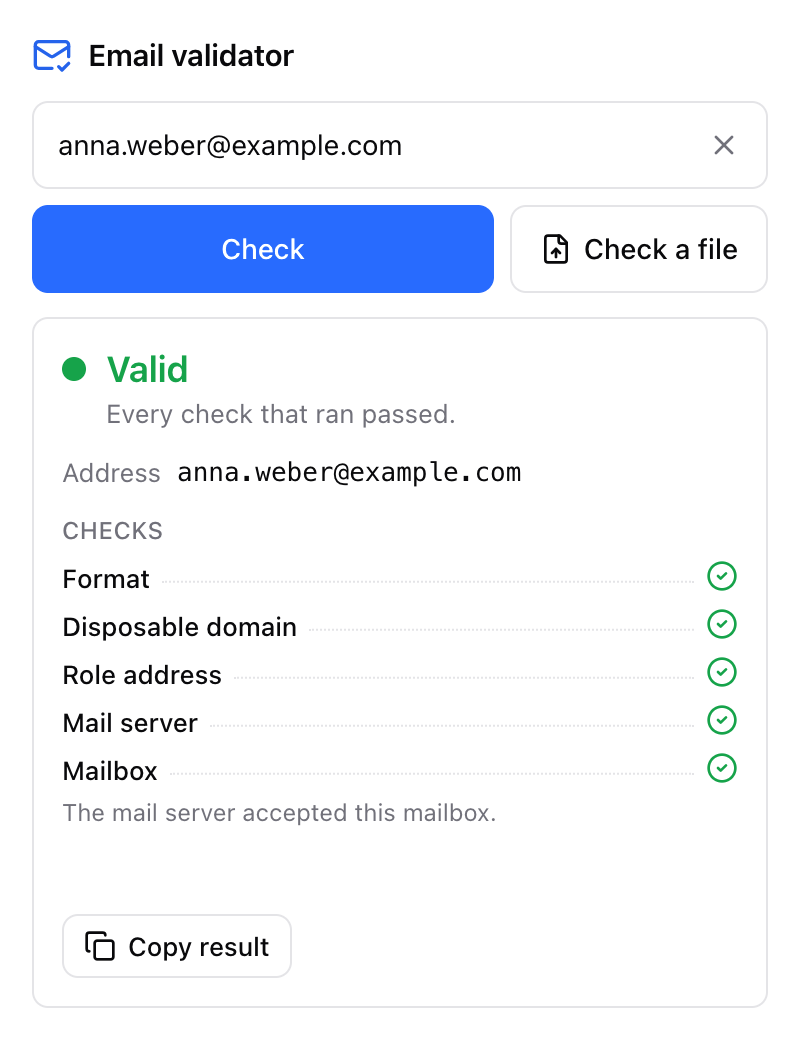
Paste it into the popup; the verdict comes back in the same panel.
A whole list
Drop in a .csv, .xlsx or .txt file, up to 50 000 rows and 10 MB — commas, semicolons, tabs or newlines, UTF-8 with or without a BOM. Over either limit it is refused, not trimmed.
- The address column is detected automatically, or picked by hand when it is ambiguous.
- Before the run starts: the count, the duplicates dropped, the unique domains, the estimate.
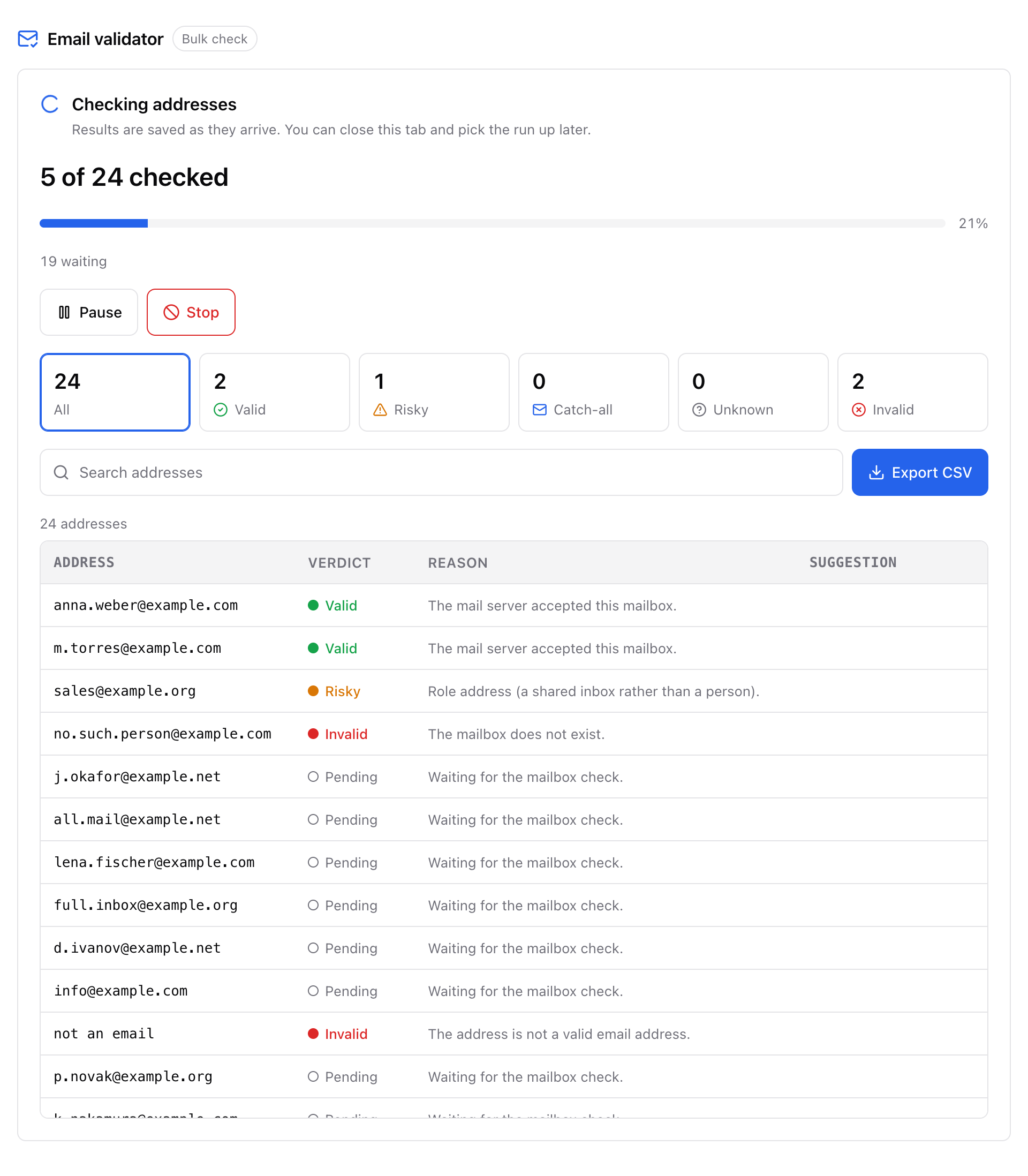
- The whole file is on screen from the first second, rows still waiting marked pending.
- A badge on the icon keeps the progress in sight.
- Pause, resume from the same row, or stop — nothing is checked twice.
- A run survives closing the tab, restarting the browser and a crashed page.
- Export to CSV mid-run or at the end: email, verdict, reason, suggestion, normalised form, UTF-8 with a BOM so Excel opens it right.
- Filter by verdict, search by address, normalised form or suggestion.
Five verdicts
One address can trip more than one signal. When it does, the most serious verdict wins.
The mail server accepted the mailbox.
It exists, but sending is a judgement call. A full mailbox is risky and not invalid: it is a real mailbox that happens to be full. A role address stays risky even when the mailbox is there.
The domain accepts every address, so no single mailbox can be proven. It is reported as its own verdict, never folded into valid.
DNS or the mail server stayed silent.
Broken syntax, a domain that cannot take mail, or a disposable one.
Privacy
Nothing is sent while nobody acts. An open popup and an open bulk tab make no request at all; only pressing check, or starting a file, sends anything.
Addresses are checked in your browser first; only those needing a mailbox check are sent to our server, and they are deleted right after. We cache results as irreversible keyed hashes, never as addresses.
An address is held only while it is being checked, and never beyond an hour. The cached result lives 72 hours as an irreversible keyed hash, and a record is erased on request.
There is no account and no sign-up: an anonymous install id is all there is. No telemetry, no analytics.
Questions
Do I need an account?
No. There is no sign-up and no password — an anonymous install id is all there is.
How many addresses can I check?
2 000 a day per install. Rows your browser settled on its own are not charged, and duplicates inside one run are charged once. The allowance comes back on its own, and a run parked on it carries on by itself, with nothing to upload again.
Can it take a file?
Yes: .csv, .xlsx and .txt, up to 50 000 rows and 10 MB. A file over either limit is refused outright, never silently trimmed.
What happens to the addresses I check?
An address is held only while it is being checked and never beyond an hour; results are cached for 72 hours as irreversible keyed hashes, and a record is erased on request. Privacy, above, has the sentence in full.
Which browser?
Chrome 110 or newer, in light or dark, following whatever your system is set to.